.webp.c61a3a3f7d81b3814d9460e19da70b62.webp)
Overview
About WARDOGS 3 days Key
 Wardogs
Player information, visibility styling, configurable aim, detailed vehicle and backpack data, radar, HUD controls, profile management and file-based crash reporting.
 Tab 1: Player Overlay
Player Information
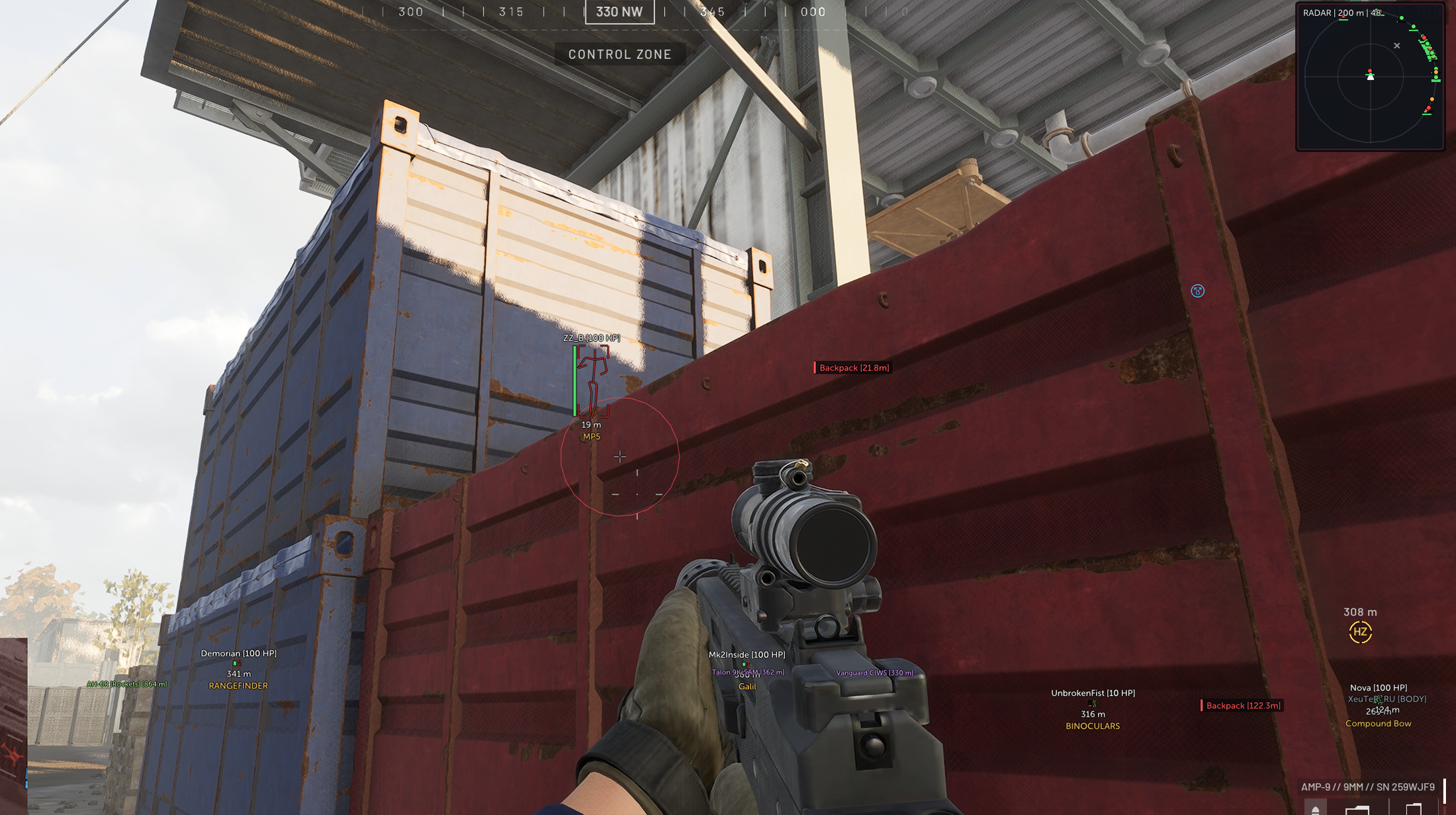
- Name & Distance: Displays player names and live distance information.
- Held Item: Shows the weapon or item currently held by the player.
- Skeleton: Draws the live player bone structure.
- Health Bar: Vertical health indicators beside the player box.
Boxes & Filters
- Box Styles: Full, Corner and Filled display modes.
- Enemies Only: Optionally hides friendly players.
- Downed Players: Toggle knocked or incapacitated players independently.
- Bodies: Optional body and corpse display.
- Faction Colors: Distinct colors for supported factions or teams.
Customization
- Maximum Range: Adjustable player overlay distance.
- Colors: Configurable colors for names, boxes, skeletons and related indicators.
- Line Thickness: Adjustable box and skeleton line width.
 Tab 2: Visibility Styling
Visible & Occluded
- Box Styles: Independent visible and occluded box appearance.
- Skeleton Styles: Separate visible and occluded skeleton colors and settings.
- Name Styles: Different name colors for visible and occluded players.
- Clear Identification: Quickly distinguish targets with line of sight from targets behind cover.
Menu Preview
- Live Preview: Preview visible and occluded player styling directly inside the menu.
- Instant Feedback: Color and thickness changes are reflected in the preview as they are adjusted.
 Tab 3: Aim
Activation & Targeting
- Activation Input: Configurable keyboard or mouse key, plus controller trigger support.
- Target Bone: Select Head, Neck, Chest or Pelvis.
- Visible Only: Optionally restrict targeting to visible players.
- Downed Targets: Choose whether knocked players can be selected.
- Maximum Distance: Adjustable targeting range.
Aim Controls
- Smoothing: Adjustable movement smoothing.
- FOV: Configurable targeting field of view.
- FOV Circle: Optional on-screen FOV indicator.
- Target Line: Optional line to the currently selected target.
- Presets: Three ready-to-use aim profiles. 3 presets
 Tab 4: Vehicles
Vehicle Information
- Name & Distance: Displays vehicle identity and range.
- Corner Boxes: Optional corner box around each vehicle.
- Vehicle Health: Displays overall vehicle health.
- Component Health: Shows available component condition values.
- Wheel Values: Individual wheel health or condition values when available.
- Fuel: Displays current fuel amount and total capacity.
Range & Filtering
- Text Size: Adjustable vehicle text scale.
- Name Range: Separate maximum range for vehicle names.
- Detail Range: Separate maximum range for health, components, wheels and fuel details.
- Categories: Cars and Bikes, Armour, Helicopters and Stationary Equipment can be filtered independently.
 Tab 5: Backpacks
Dropped Bags
- Bag Markers: Displays dropped backpack locations.
- Maximum Range: Adjustable backpack display distance.
- Category Colors: Different colors for supported item categories.
- Unnamed Filter: Option to hide unnamed barrels, stocks and similar unresolved entries.
Contents Popup
- Look or Hover: Opens the bag contents when looking at it or hovering over its marker.
- Item Quantities: Displays stack or quantity values beside each item.
- Runtime Lookup: Resolves item names dynamically while the game is running.
Backpack contents depend on the information the game has replicated to the local client for nearby entities.
 Tab 6: Radar
Indicators
- Player Dots: Displays nearby player positions on the 2D radar.
- Direction Lines: Optional lines from the radar centre toward players.
- Health Indicators: Displays player health information on radar markers.
Layout
- Radar Range: Adjustable world range represented by the radar.
- Radar Size: Adjustable on-screen radar size.
- Draggable Position: Move the radar directly to a preferred screen position.
- Reset Position: Restores the radar to its default location.
 Tab 7: HUD
Weapon HUD
- Ammo Display: Shows the current ammunition count.
- Chamber Display: Shows chamber state or chambered ammunition when available.
Crosshair
- Styles: Cross, Dot or Cross + Dot.
- Size: Adjustable crosshair dimensions.
- Thickness: Adjustable line and dot thickness.
- Color: Fully configurable crosshair color.
 Tab 8: Menu & Configuration
Menu
- Menu Key: Press END to open or close the menu.
- Organized Tabs: Player, visibility, aim, vehicles, backpacks, radar, HUD and configuration controls remain grouped by function.
Profiles
- Save: Stores the current configuration.
- Load: Restores a previously saved configuration.
- Automatic Loading: Optionally loads the saved configuration at startup.
- Reset Defaults: Restores all settings to their default values.