
Sand Raiders DR-CHEATS
Sand Raiders of Sophie
Configurable aim, player, loot, and radar tools in one streamlined interface. Choose your access period and manage everything directly from your DR-CHEATS account.
- Aim configuration
- Player information
- Loot and world filters
- Radar and interface
- Supported OS
- Windows 10/11
- Supported CPU
- AMD / Intel
- Configurable profilesAdjust targeting, information, and interface settings.
- Instant key deliveryYour key is added after payment confirmation.
- Live product statusCheck availability and updates before launching.
- Instant key deliveryKey added after payment
- Secure checkoutStripe or NOWPayments
- Live availabilityPrice and access rechecked
- Human supportBefore and after purchase
Customer voices
From the DR-CHEATS community.
Verified purchases across our catalog—not reviews of this specific product. The game and year are shown on each comment.
“And for the price its amazing... you get a pretty solid cheat. 10/10.”
“All current menus are great across the board. The Apex menu is perfect, easy to use.”
“Settings is amazing... Aimbot is great.”
Product features
Configure only what you use.
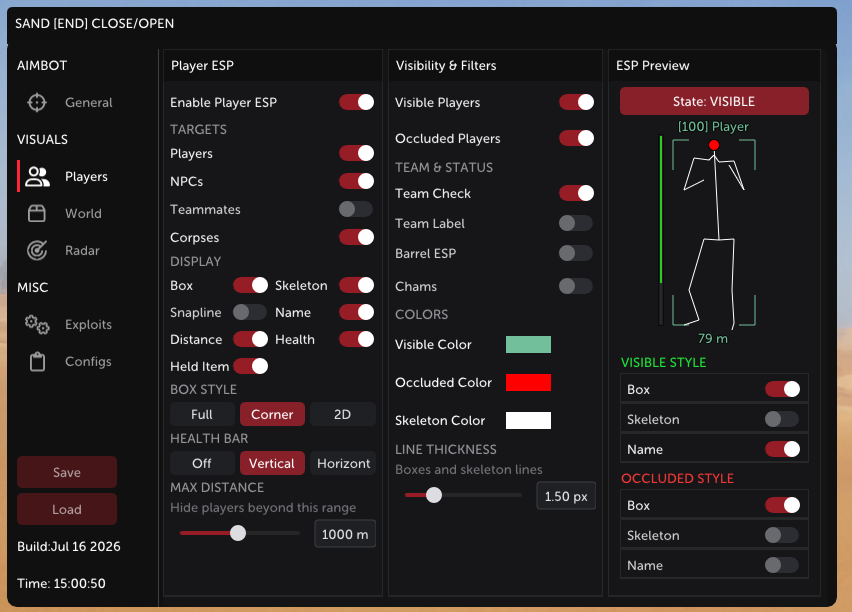
Aim configuration
Build and switch between precise targeting profiles.
- Aim profilesLegit, Medium, and Rage presets with adjustable smoothing, speed, field of view, target bone, and aim key.
- Prediction and visibilityTarget prediction, visible-only checks, and optional player or NPC targeting.
- Weapon controlsNo recoil, no spread, instant reload, instant equip, and configurable critical-zone targeting.
- Projectile controlsNo falloff plus bullet-drop and projectile-speed controls added in v0.6.
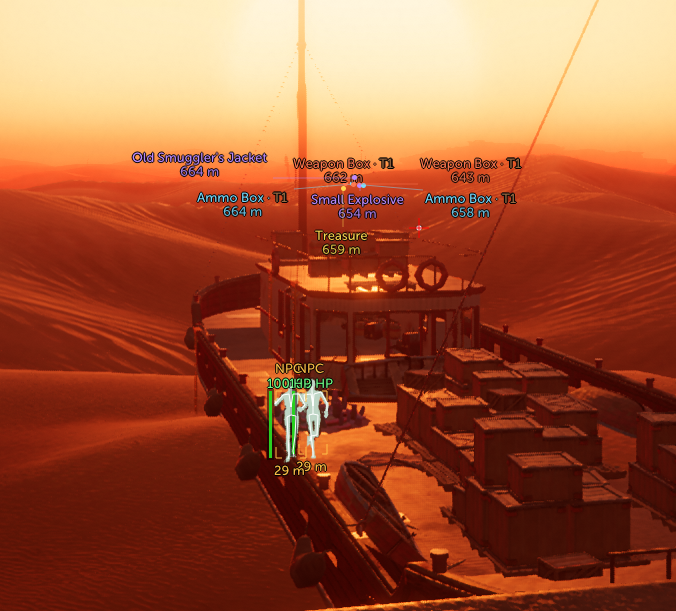
Player information
Keep useful player and entity information readable.
- ESP layouts2D, 3D, corner, filled-box, skeleton, snapline, and chams display options.
- Identity and equipmentShow names, distance, held items, NPCs, Tramplers, and the configured range.
- Health and teamsHorizontal, vertical, or skeleton-colour health plus teammate checks and team IDs.
- Visibility filtersSeparate visible and hidden colours with optional visible checks for players and NPCs.
Loot and world filters
Show only the items and locations relevant to you.
- World labelsDisplay loot, extractions, dropped items, corpses, and shovels with names and distance.
- Item categoriesFilter ammunition, weapons, medical items, grenades, containers, treasure, resources, keys, and quest items.
- Interaction toolsFar interact, remote interact, and item magnet controls for supported world objects.
- Teleport windowPlayer, Trampler, loot, and extraction filters were added in v0.3; teleport is temporarily unavailable while a replacement method is tested.

Radar and interface
Control radar, movement, alerts, and saved layouts.
- 2D radarEnemy dots, view lines, player and teammate controls, and adjustable radar size.
- Interface and profilesOutline text, crosshair, nearby-enemy warning, combat key, and saved configuration presets.
- Movement controlsFast climb, super jump, speed control, no fall damage, noclip, and fly camera.
- Utility modesGhost mode and additional product-specific controls whose availability may change after game updates.
Product updates
Release notes.
Sand Raiders of Sophie v1.3Updated compatibility with the latest game version.
- Compatibility with the latest version.
Current build and MAGIC BULLET + NOCLIP IMPROVEMENTS
- Compatibility with the latest version
- NEW
- Ghost mode
- Magic Bullets (use carefully)
- IMPROVEMENTS
- Noclip now behaves more like fly mode
Current build and teleport service noteRecorded the current build and a temporary teleport availability change.
- Current build
- The public product listing was updated to build v1.1 on July 18, 2026.
- Compatibility note
- Noclip remained available after the protection change was addressed.
- Teleport was temporarily disabled while a replacement method was being tested.
Weapon controls and combat modeAdded weapon controls, visibility checks, and teleport improvements.
- Exploits and combat
- Updated compatibility for the game version available on release day.
- No Spread: Added centered weapon-accuracy control.
- Instant Reload: Added reload-delay control.
- Instant Equip: Added immediate weapon swapping.
- No Falloff: Added distance-falloff control.
- Critical Multiplier: Added critical-damage controls.
- Projectile Controls: Added bullet-drop and projectile-speed controls.
- Improvements
- Added Combat Mode.
- Added visible checks for players and NPCs.
- Improved teleport behavior.
- Fixes
- Improved frame rate and resource usage.
- Resolved multiple critical crash scenarios.
Fly camera, prediction, and performanceExpanded combat and visual tools while improving performance and stability.
- New features and combat
- Fly Cam: Enabled the fly camera feature.
- Prediction: Improved aim prediction logic.
- No Recoil: Added recoil control.
- Visuals and ESP
- Added Shovel to the ESP overlay.
- Added Corpse to the ESP overlay.
- Performance
- Added native support for Intel Arc GPUs.
- Applied broad FPS optimizations, with gains of up to approximately 90% reported for affected configurations.
- Fixes
- Fixed the speed modifier stopping after player death.
- Fixed defeated NPCs remaining visible briefly.
- Resolved multiple stability and crash issues.
Movement and team fixesAdded fall protection and corrected team and teleport behavior.
- New feature
- No Fall Damage: Added a control that disables fall damage.
- Fixes
- Fixed teammates not appearing as allies.
- Fixed random teleport glitches.
- Improvements
- Refined teleport filters for Players, Tramplers, and Extractions.
Movement and teleport toolsIntroduced expanded movement and world-interaction controls.
- New features
- Fast Climb: Significantly increased climbing speed.
- Noclip: Added the ability to pass through supported walls and geometry.
- Super Jump: Increased maximum jump height.
- Far Interact: Extended interaction range for supported items and containers.
- Teleport: Added a destination window with Player, Loot, Trampler, and Extraction filters.
System & build
Compatibility
See full requirements & setup details
- Account
- DR-CHEATS account
- Supported OS
- Windows 10/11
- Supported CPU
- AMD / Intel
- Listed anti-cheat
- BattlEye
- Graphics note
- Intel Arc GPU support was added in v0.5; confirm other configurations with Support
- Game platform
- Confirm your platform with Support before purchase
Unusual configurations or an installation question? Contact Support to confirm your setup. Check the live status after a game update.
- 01Choose accessComplete payment with your account.
- 02DownloadOpen your build in Downloads.
- 03LaunchFollow setup instructions. Help is here.
Before you get started.
Delivery, setup, updates and support—your questions answered.
After payment completes, the purchase is attached to your DR-CHEATS account. Open Downloads for the current files and instructions.
Open DownloadsYes. Sign in with your existing DR-CHEATS account or create one before checkout so the purchase and access stay linked to the correct account.
The methods available for your invoice are shown during checkout. The v2 checkout supports card payment through Stripe and cryptocurrency payment through NOWPayments when those gateways are available.
Windows 10 and Windows 11 are supported on AMD and Intel processors. Contact Support before purchasing if you need confirmation for a specific game platform or hardware configuration.
Ask SupportCheck the detailed status before using or purchasing the product. The status shown on this page comes from the current DR-CHEATS status system.
View detailed statusUse the DR-CHEATS Support area for setup questions and account help. Include your product name and relevant setup details, but never share payment credentials or license keys.
Get SupportDigital-goods terms apply. Review the product and compatibility information before checkout, and contact Support if you have a purchase issue. The current terms contain the complete policy.
Read the terms
Choose your Sand Raiders access.
OnlineUse the selected access period or compare every current option above.
Questions about setup? Contact Support